A Parking QR Code Can Send Your Payment Somewhere Else
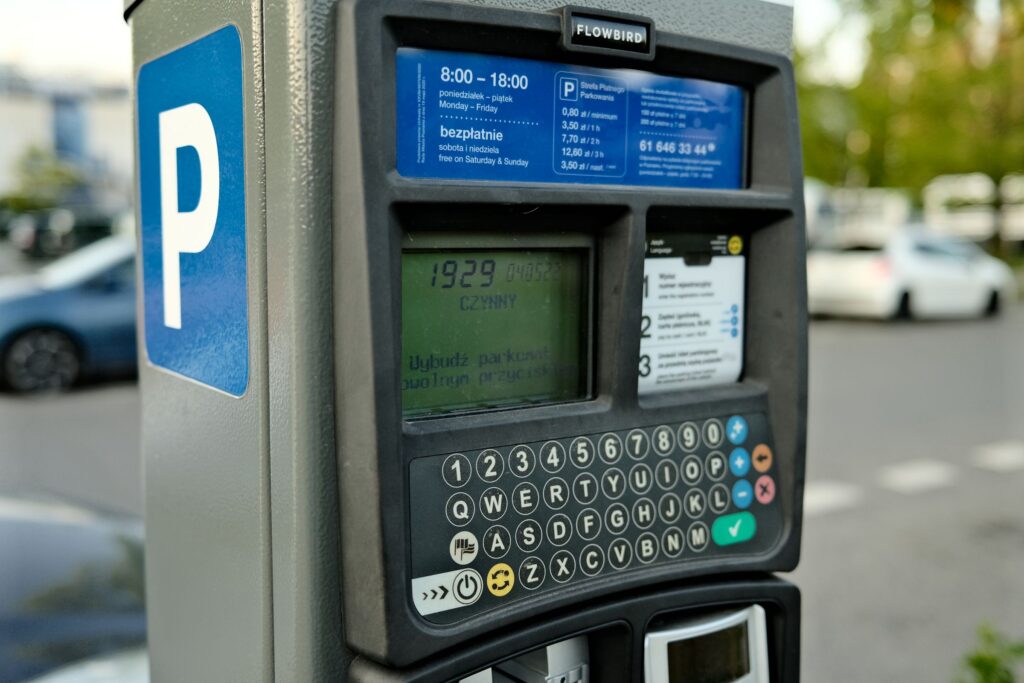
TL;DR: Parking is annoying enough without the meter lying to you. On 3 September 2026 the FTC warned that scammers cover real QR codes, including ones on parking meters, with their own, and that scanning one can lead to a fake site built to grab your money or personal details. Since then, Manhattan prosecutors have announced a related case (allegations only). The safest move is to skip the sticker and pay at the machine or in your city’s official app. If you already paid a fake page, call your card issuer using the number on your card.
Key takeaways
- The FTC’s alert is dated 3 September 2026. As of 8 November 2026 I found no newer FTC update on it.
- The trick is simple: a sticker over or near the real code sends your payment to someone else.
- Policies differ by city. Some say they never use QR codes at their machines, so read local signs and the city’s own website.
- The red flags are physical: layered stickers, off-looking branding, and a web address that does not quite match.
- If you paid a fake page, contact your card issuer first and report it to the operator and the FTC.
What the FTC said, and what has happened since
The FTC’s consumer alert, published 3 September 2026, says scammers cover legitimate QR codes, such as those on parking meters, with their own. Scanning a fake one can take you to a fraudulent site designed to steal money, personal information, or both.
The advice is short: check the link before you open it, since many QR readers preview the address, and look for misspellings or swapped letters. It also points to basic account hygiene: update your phone, use strong unique passwords and turn on multi-factor authentication.
This is not a one-city story. Here is a sample of official and news notices I opened.
| When | Where | What was reported |
|---|---|---|
| June 2025 | New York City | NYC DOT warned of a fraudulent sticker on a ParkNYC meter linking to a third-party page that asked for card details |
| Late 2025 or early 2026 (page undated) | Raleigh, NC | The city warned of codes on downtown meters and said to pay at the meter or in its official app |
| April 2026 | Mississauga, Canada | The city says staff removed roughly 80 fraudulent stickers from downtown machines |
| 3 September 2026 | United States | FTC consumer alert on covered QR codes |
| 30 September 2026 | Manhattan | District attorney and city investigators announced an indictment; the reported count was 64 fake stickers on meters |
| Around early October 2026 | Ann Arbor, Michigan | Police warned drivers after fake stickers were found on downtown meters |
On Manhattan: the charges are allegations, and the defendant is presumed innocent. I could not read that press release directly, so the details come from a search summary of it.
How a sticker redirects your payment
The mechanics are boring, which is why it works. A sticker sits over the real code or next to it. The code opens a page that looks like the parking operator’s payment page. You enter card details. The real operator never sees a dime.
The FBI described the same idea in a 2022 public service announcement about tampered QR codes: criminals alter physical and digital codes, and in payment scams the altered code sends the payment to the criminal. It adds that some malicious codes can carry malware, and it advises against downloading apps from QR codes.
The key point from city notices is that a QR code can look official. Mississauga lists partial logos or branding meant to look genuine as a warning sign. Looking legit is the whole job of a fake. (I am keeping this at pattern level on purpose.)
Red flags and what to do instead
| Red flag | Why it matters | Safer move |
|---|---|---|
| A sticker on or near the machine, not built in | Mississauga says this is a warning sign | Use the machine’s own screen and card reader |
| A code layered over another code | The FBI lists a sticker over the original as a tampering sign | Do not scan it; tell the operator |
| Web address with a typo or swapped letters | The FTC says to look for exactly this | Close the page and type a known address yourself |
| Branding that looks almost right | Fakes copy partial logos | Compare with the signage printed on the machine |
| A page that asks for more than you expected | The FBI advises caution about entering financial details after a scan | Stop and pay another way |
Safe ways to pay, and why “never scan” is not universal
Here is the annoying part: the right answer depends on the city. Mississauga says QR codes are never used to collect parking payments at its machines. Raleigh says it uses parking-related QR codes only on violation notices and garage tickets. NYC DOT says metered parking is paid only through the official ParkNYC app or a physical meter.
So the rule is not “QR bad”. It is “find out what your operator actually uses, from the operator.” A quick checklist:
- Look at the machine first. Peeling edges or stacked stickers are enough reason to walk away.
- Use the screen and card reader if there is one.
- If you use an app, install it from your phone’s app store, not from a code.
- Type the city’s website yourself, or use a bookmark you saved from an official page.
- If you scan anyway, read the previewed address before tapping.
- Keep your phone’s system and apps updated, and use strong, unique passwords with multi-factor authentication.
- Visiting somewhere new? Look up the official payment method before you leave the car.
If you spot a suspicious sticker, tell the operator, the city or the police. Local advice differs: NYC DOT’s 2025 advisory said to tear it off and contact ParkNYC, while Mississauga asks people to call 311 so staff can remove it. Follow what your city says.
If you already scanned or paid
Do not spiral. Do this in order.
- Do not contact whoever is behind the fake page. The FTC specifically says not to.
- If you entered card details, contact your card issuer using the number on the card or its official app. Describe what happened and ask how to protect the account.
- If you typed a password, change it, and change it anywhere else you reused it.
- Check your card and bank statements for charges you do not recognise.
- Update your phone and its apps. Do not install anything a code tells you to.
- Report it to the FTC at ReportFraud.ftc.gov, and tell the parking operator. If money was stolen through a tampered code, the FBI asks for reports to your local FBI field office and to the Internet Crime Complaint Center (IC3).
- Keep screenshots and any receipt.
Frequently asked questions
Are all parking QR codes fake?
No. Operators differ. Some cities say they never use them at machines, some use them on tickets or violation notices, and some run their own apps. That is why the safe check is the operator’s official signage and website.
I scanned a code but closed the page. Am I okay?
The FTC’s after-scan advice centres on not contacting the scammer, changing passwords you entered and reviewing statements. The FBI notes some malicious codes can carry malware, so keep your phone updated. If you are worried about your device, ask a qualified IT-security professional.
Will I get a ticket if I paid a fake page?
I found no official rule on this, and it varies by operator and city. Contact the operator, explain what happened and keep your screenshots and receipts. Do not assume your session counted.
Where do I report a fake sticker?
Tell the parking operator or city, and consider the local police. For the scam itself, use the FTC’s ReportFraud.ftc.gov. If funds were stolen via a tampered code, the FBI points to IC3 and local field offices.
Before you decide
Twenty seconds of checking beats a week of card-replacement admin. Look at the meter, use the built-in payment option if there is one, and verify any code against what your city says.
If you already paid a fake page, talk to your card issuer about your options. They know what applies to your account, which this article cannot.
Sources
- See a QR code parked somewhere? Don’t scan it…yet!, Consumer Alerts, Federal Trade Commission
- Cybercriminals Tampering with QR Codes to Steal Victim Funds, Public Service Announcement, FBI Internet Crime Complaint Center
- City warns about fraudulent QR codes on parking machines, City of Mississauga
- NYC DOT Issues Parking Meter Scam Advisory, New York City Department of Transportation
- Scam Alert: Stay Safe from Parking Payment Scams, City of Raleigh
- Press release, 30 September 2026, NYC Department of Investigation and Manhattan District Attorney’s Office
- Fake QR code stickers found on Ann Arbor parking meters, police warn drivers of scam, WXYZ Detroit
Last updated: November 2026. This article is general information, not legal or financial advice.