SteamOS 3.9 Reaches Stable With Power, Display and Wi-Fi Fixes
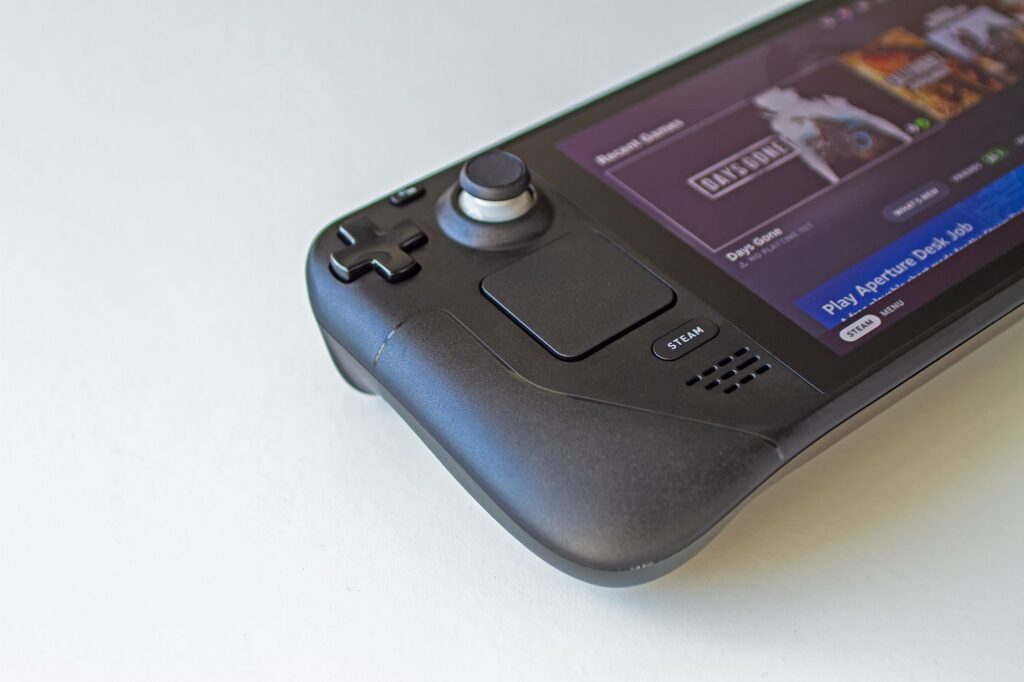
TL;DR: Valve moved SteamOS 3.9 to the stable channel on 23 October 2026. The actual build is 3.9.5, and the release notes cover a lot of ground. Steam Deck gets lower idle power use when nothing is playing audio, a fix for hidden Wi-Fi networks that failed on the first try, and frame-limiter fixes for external displays and variable refresh rate (VRR). Desktop Mode jumps to KDE Plasma 6.7.3 and the kernel to Linux 7.2. Hibernation is in the code but switched off on Deck. As of 8 November 2026, I found no newer SteamOS release.
Key takeaways
- This is a stable release, not a beta. Valve’s post is titled “SteamOS 3.9”, but the build number is 3.9.5.
- The power change is narrow: lower idle draw when no audio is playing. Valve gives no battery-life figure.
- Listed fixes include hidden Wi-Fi networks on the first attempt, frame limits on some external displays, and the “Disable Frame Limiter” toggle when VRR is on.
- Hibernation is preliminary. It is not in the Game Mode interface and is not enabled on Steam Deck because of a driver bug.
- Under the hood: Plasma 6.4.3 to 6.7.3, Linux kernel 7.2, and Wi-Fi now defaults to wpa_supplicant.
What shipped, and what the version numbers mean
Valve’s own news feed for Steam Deck shows two SteamOS posts on 23 October 2026, published seconds apart: “SteamOS 3.9.5 Beta” and “SteamOS 3.9”. The second one says 3.9.5 has been released for all users. It rolls up every change since the 3.8 line, which is why the notes are so long.
The 3.9.3 and 3.9.4 builds you may have seen were betas, posted on 16 and 22 October. A preview appeared even earlier, covered by PC Games Hardware on 30 August. Testers had lived with most of these changes for weeks.
Here is where each headline item stands as of 8 November 2026. “Rolling out” means it is in the stable release available to everyone. “Preliminary” means it is not usable on a Deck.
| Change | Status | What it means for you |
|---|---|---|
| Lower idle power on Steam Deck (no audio playing) | Rolling out (stable) | Applies to the idle case only |
| Hidden Wi-Fi networks connect on the first attempt | Rolling out (stable) | One less retry if your network name is hidden |
| Frame limits on certain external displays | Rolling out (stable) | Fewer cases of lower-than-intended FPS |
| “Disable Frame Limiter” toggle with VRR on | Rolling out (stable) | The toggle should now behave |
| Desktop Mode on Plasma 6.7.3 (from 6.4.3) | Rolling out (stable) | Desktop Mode only, not Game Mode |
| Linux kernel 7.2 | Rolling out (stable) | Mostly invisible, helps newer hardware |
| wpa_supplicant as the default Wi-Fi backend | Rolling out (stable) | See the Wi-Fi section for existing installs |
| Hibernation | Preliminary, off on Deck | Not in Game Mode, held back by a driver bug |
The power fix, with the fine print
The lazy summary is “better battery life”. The notes say something smaller: Steam Deck idle power use improved when no audio is playing.
Valve does not give a percentage, a watt figure or an extra-hours claim. I could not find one in the notes or in the coverage I read, so I am not going to invent one. If your Deck spends a lot of time idling between sessions, you might notice it. If you mostly run demanding games, do not expect the battery gauge to look different.
The notes also list power-adjacent fixes aimed at other hardware: suspend and resume problems on systems with dedicated AMD RDNA1 or RDNA2 GPUs, and an ASUS firmware quirk that made fans spin up on wake. Handy for those devices. Not Deck battery news.
Display and Wi-Fi fixes
Frame limiter and external screens
Two items matter if you dock your Deck. First, frame limits were producing lower FPS than intended on certain external displays. Second, the “Disable Frame Limiter” toggle was not working when VRR was enabled. VRR just means the screen adjusts its refresh rate to match the game’s frame rate.
The notes do not name specific monitors, so the practical move is to test your own screen. Nearby fixes cover input loss when a launcher window is dragged around in Game Mode and audio trouble when hot-plugging certain monitors.
Hidden Wi-Fi networks and the backend switch
If your router hides its network name, you may have needed two tries to connect. Valve lists a fix for hidden networks failing on the first attempt. Small, very welcome.
The bigger Wi-Fi story is underneath. Valve made wpa_supplicant the default Wi-Fi backend and ported the fast reconnect-on-resume trick that used to be an iwd perk. For the preview build, PC Games Hardware reported that the switch applied to new installs, while existing installs stayed on iwd until a Developer Settings toggle was flipped. Valve flagged that as a known issue at the time. I did not confirm whether that is still exactly how stable behaves, so check your own device before assuming.
Under the hood: Plasma, kernel and the hibernation tease
Desktop Mode moves from KDE Plasma 6.4.3 to 6.7.3. Valve links the 6.5, 6.6 and 6.7 release notes rather than summarising them. PC Games Hardware’s preview coverage highlights per-screen virtual desktops and a lock screen you can now switch on (off by default). None of that touches Game Mode.
The kernel is rebased on Linux 7.2. PC Games Hardware says it jumps from the 6.16 long-term kernel and skips 7.0 and 7.1. Valve also revoked compromised eMudhra certificates and renamed scripts and packages from “steamos-” to “holo-“, with aliases for the old names. If you keep custom scripts, that rename is worth a quick search.
Then there is hibernation. Valve added preliminary support and made kernel hibernate requests interruptible. But it is not exposed in the Game Mode interface and it is not enabled on Steam Deck because of a driver bug. A line in a changelog is not a feature you can use. If someone says hibernation arrived on Deck, that is ahead of what Valve says.
Checking your own Deck
Valve’s beta post says you opt into Beta or Preview under Settings, System, System Update Channel. That is also where to see which channel you are on. A quick checklist:
- Open Settings and System, then check your update channel. Stable users should see the release as a normal update.
- If you opted into Beta or Preview weeks ago, you have probably been on 3.9.x builds already.
- Plug in the charger and let the update finish.
- If you hide your Wi-Fi network name, reconnect once and see if it works first try.
- If you play docked with VRR, re-test your frame limit and the “Disable Frame Limiter” toggle.
- If you use custom scripts, search them for old “steamos-” names.
Frequently asked questions
Is SteamOS 3.9 beta or stable?
Stable. Valve’s 23 October post says 3.9.5 was released for all users. The separate “3.9.5 Beta” post is for people on the Beta and Preview channels.
Will my Steam Deck battery last longer?
Maybe at idle, if nothing is playing audio. Valve does not claim longer battery life in games and gives no hours figure.
Can I hibernate my Deck now?
No. Preliminary hibernation support is in the system, but it is not enabled on Steam Deck because of a driver bug and is not in the Game Mode interface.
Do I have to change any Wi-Fi settings?
Valve does not ask you to. If your Wi-Fi works, there is no obvious reason to touch the backend setting.
Before you decide
Update now or wait? That is your call, and the notes cannot make it for you. Here is what is true as of 8 November 2026: stable has been out since 23 October, the newest item on Valve’s Steam Deck news page that I saw was a Steam client beta dated 3 November rather than a new SteamOS build, and I found no widespread problem reports tied to 3.9.5. That is not proof nothing is wrong.
If your Deck is your only gaming device and you travel with it, updating at home on Wi-Fi with the charger plugged in is the low-drama route. Either way, the best test is your own setup: monitor, router, scripts.
Sources
- Steam Deck: SteamOS 3.9, Valve (Steam Community announcements)
- Steam Deck :: News, Valve
- Steam news feed for Steam Deck (app 1675200), Valve
- SteamOS 3.9.5 released with Plasma 6.7, Linux 7.2, security fixes, better Steam Frame wireless adapter support, GamingOnLinux
- SteamOS 3.9: Linux 7.2 und KDE 6.7.3 als Vorschau erschienen, PC Games Hardware
Last updated: November 2026. This article is general information, not IT-support advice.